Features, Orbs, and Loom+
Beyond typing messages, LoreLoom has a handful of tools that make longer stories easier to steer and keep track of. Here's what each one does, where to find it, and when it's worth reaching for.
Choosing your AI model
In the top-right of any chat there's a little pill showing the model you're on right now — Free, DeepSeek V4, GLM 5.3, or Opus 4.6. Tap it and a menu drops down to switch. Your choice applies to the next reply, so you can change models mid-story without starting over.
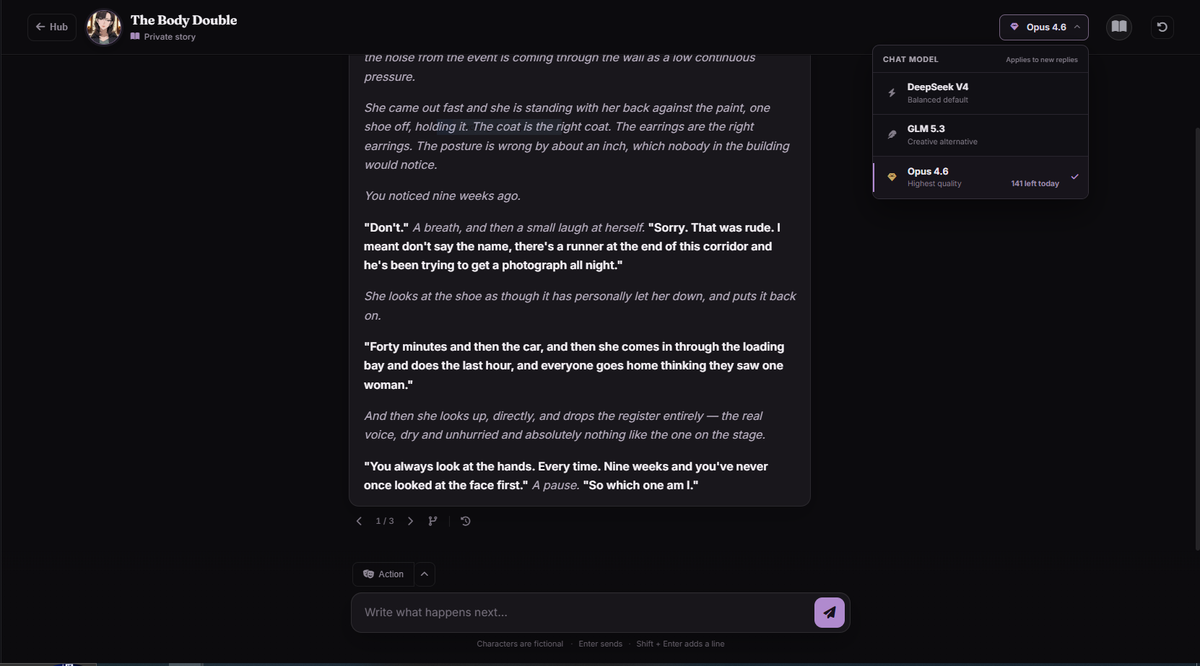
Each model has a different feel:
- Free — the fast everyday model, always available at no cost.
- DeepSeek V4 — the balanced default once you have premium access.
- GLM 5.3 — a creative alternative when you want a different voice.
- Opus 4.6 — the highest-quality model, for your most important scenes.
DeepSeek and GLM unlock with LoreLoom+ or a Premium Models pass from the Shop. Opus works a little differently — and it's free to try (see below).
Free Opus — the highest-quality model, on us
You don't need a subscription to use Opus 4.6, our best model. On a free account the Opus row shows a small lock with "Watch 2 ads". Tap it and you'll get a short prompt — watch two quick ads and Opus unlocks 50 messages for the rest of the day, completely free.
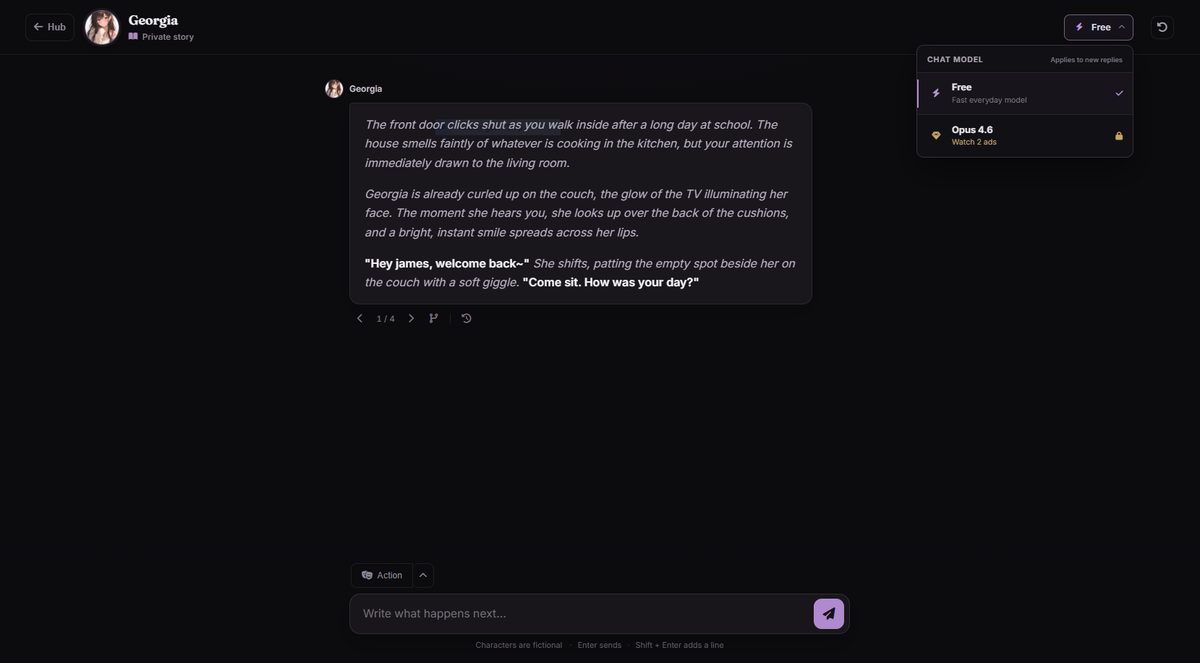
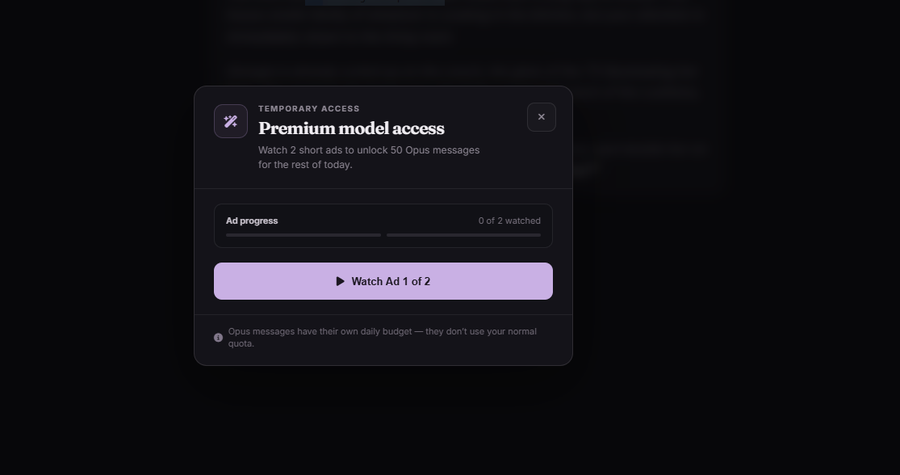
A few things worth knowing: those 50 Opus messages have their own daily budget, so they don't eat into your normal free message allowance. The unlock lasts for the rest of the day and resets the next day — watch two ads again whenever you want another batch. Once Opus is unlocked, the menu swaps the lock for an "N left today" counter so you always know how many premium replies you have left. LoreLoom+ members skip the ads entirely and get a much larger daily Opus allowance built in.
The Action button and Quick Actions
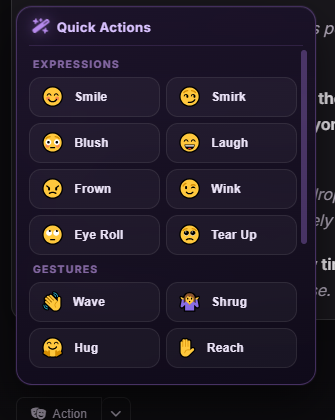
Below the message box there's an Action button. It's a shortcut for dropping a physical action into your message without typing out the asterisks yourself. Hit the little arrow next to it and a Quick Actions menu opens, grouped into Expressions (smile, smirk, blush, wink…), Gestures (wave, shrug, hug, reach…), and Movement (step closer, look away, nod…).
Tap one and it inserts something like *(smiles warmly)* right into your message, ready
to send or build on. It's the fastest way to keep your writing in the action/dialogue format the
characters respond best to — handy on mobile especially.
The chat toolbar — regenerate, branch, edit, rewind
Under each reply sits a small row of icons. They're the controls for steering a scene after the AI has written something:

- Regenerate (the circular arrows) — didn't love the reply? Roll a fresh one.
You can flip between the versions with the
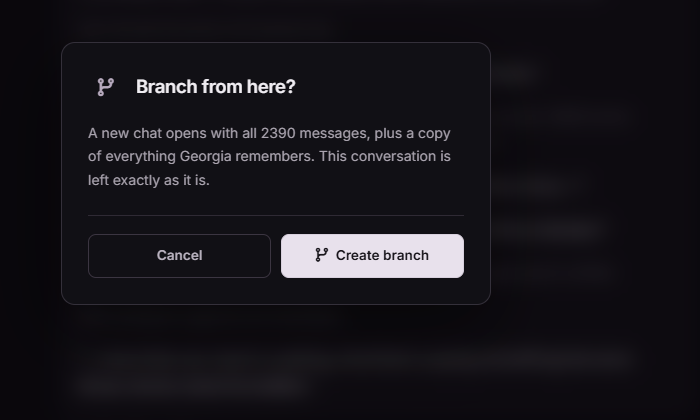
1 / 3arrows that appear. - Branch (the fork icon) — split the story off at this point. A new chat opens with everything so far copied in, and your original is left untouched. Perfect for trying a "what if" without losing the thread you had.
- Edit (the pencil) — fix a wording or detail in a message directly.
- Rewind (the clock) — step the conversation back to an earlier point.
Next to the Action button, Undo rewinds the last message if a reply went somewhere you didn't want.
The Memory Manager
As a roleplay grows, the AI keeps a structured picture of what's going on — not just the last few lines, but the state of the story. The Memory Manager is a window into that. Open it and you'll see what the character remembers, sorted into tabs down the side:
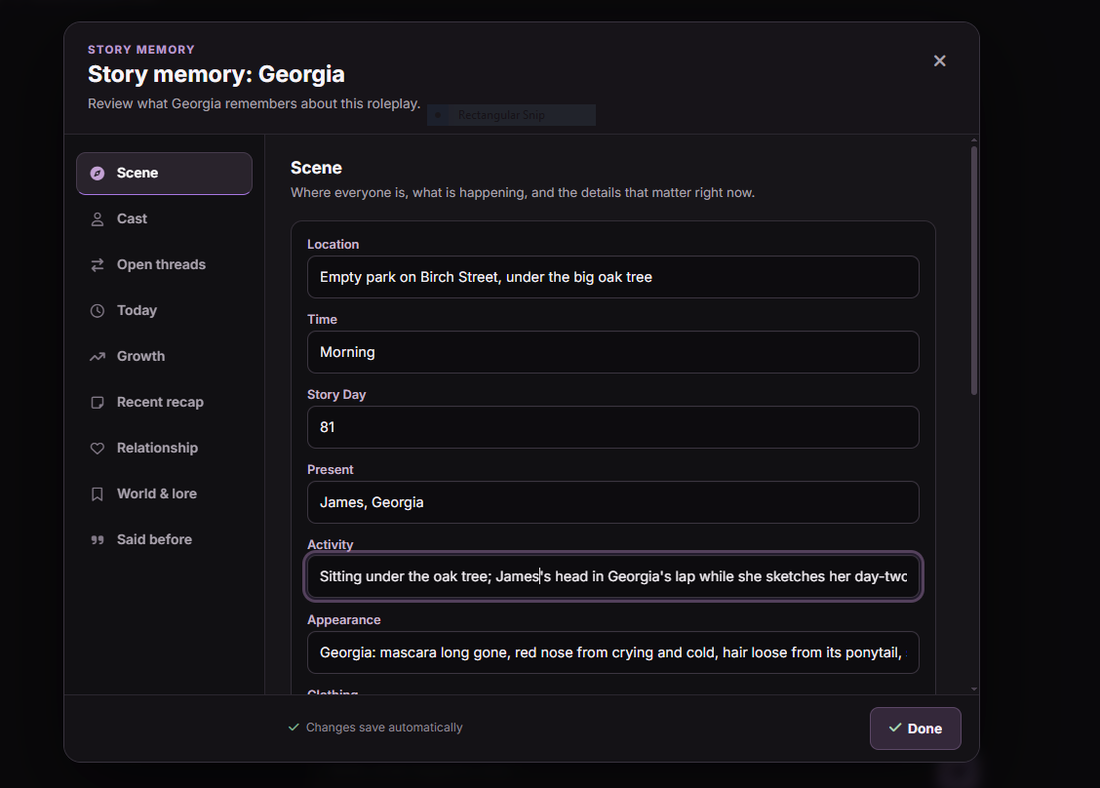
- Scene — where you are right now: location, time, story day, who's present, the mood.
- Cast — the people in the story and who they are.
- Open threads — unresolved plot tension and things left hanging.
- Today — what's happened in the current day, for continuity.
- Growth — how the character and relationship have changed over time.
- Recent recap — a short summary of the last several turns.
- Relationship — how you and the character stand with each other.
- World & lore — the long-term facts and secrets the story carries.
- Said before — notable things that have already been said.
It's genuinely useful for long stories: if the character has drifted or forgotten something, you can see exactly what it's holding in each bucket and understand why it's responding the way it is. You can edit any field directly — changes save automatically. The Memory Manager is a LoreLoom+ feature, though free users can unlock it temporarily from the Shop (see below).
The AI Diary
The Diary is a separate, private space from your character chats. You name a diary companion, set a 6-digit PIN, and write entries — and the companion reads them and responds, there for you through the highs and lows. The PIN locks it so only you can open it. It's meant as a quieter, more personal corner than the roleplay side.
Orbs — the in-app currency
Orbs are LoreLoom's currency. Their main job right now is keeping you in a story: when you run out of daily messages, you can spend a few Orbs to refill your allowance instead of waiting for the daily reset (watching a rewarded ad is the other way to top up). Your balance shows in the sidebar and on the Shop page.
There's also a Quests page — Daily Login, Chatterbox, Dear Diary — designed to hand out bonus Orbs for everyday activity. Those are still being built, so treat them as a preview for now; the page says as much when you open it. Once they're live, they'll be the easy way to keep your balance topped up.
The Shop
The Shop (in the sidebar) is where Orbs get spent. Your balance sits in the top-right, and the Perks tab holds temporary boosts so you can dip into a premium feature for a session without a subscription:
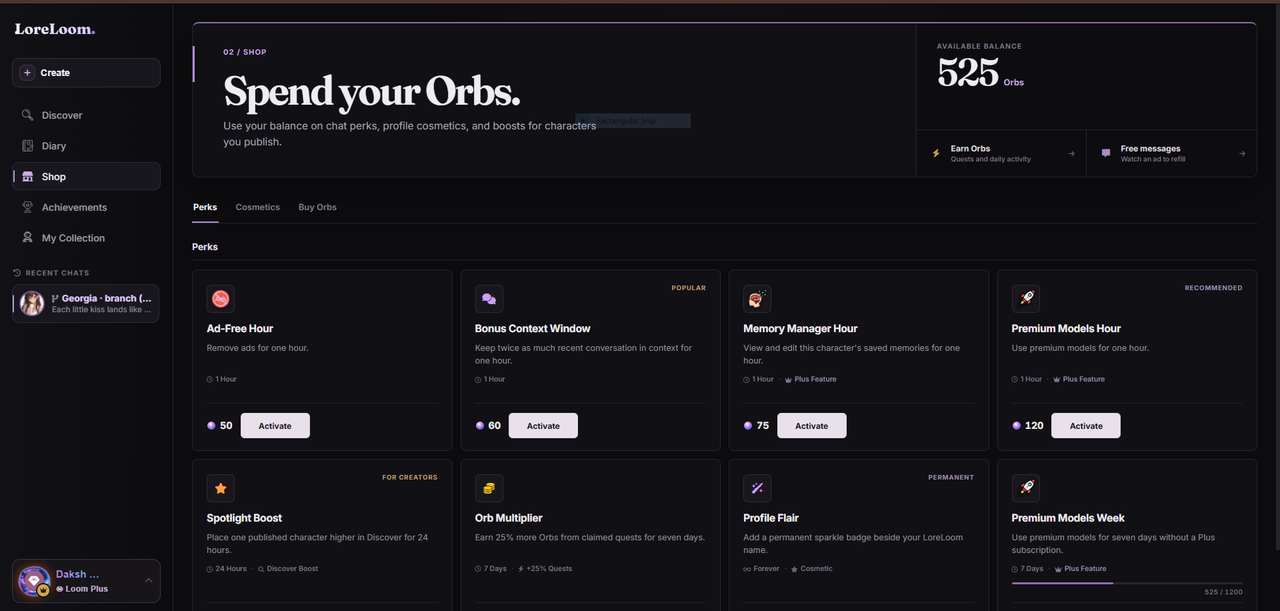
- Ad-Free Hour — an hour of uninterrupted chat with no ads.
- Bonus Context Window — keeps twice as much recent conversation in view, for deeper continuity in a long scene.
- Memory Manager Hour — unlocks the Loom+ Memory Manager for an hour.
- Premium Models Hour (or Week) — routes your chat through the premium models, the same ones Loom+ members use.
- Spotlight Boost — places one of your published characters higher in Discover for 24 hours.
- Orb Multiplier — earn 25% more Orbs from quests for seven days.
- Profile Flair — a permanent sparkle badge beside your name.
Prices are shown in Orbs on each card and shift a little over time, so check the Shop for the current cost. There are also Cosmetics and Buy Orbs tabs. The whole point is flexibility: earn Orbs by using the site, then spend them on the exact boost you want, when you want it.
Achievements
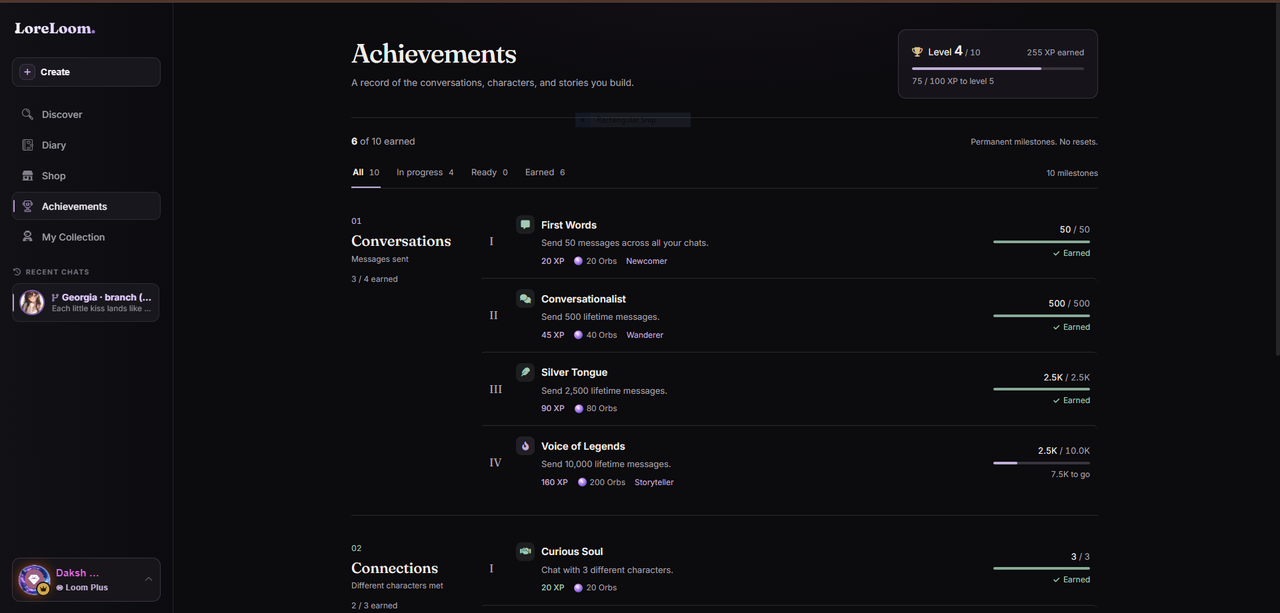
The Achievements page (in the sidebar) is a record of the conversations, characters, and stories you build. Milestones are grouped into tracks like Conversations and Connections, each with tiers that hand out XP (which levels up your profile) and Orbs — and some unlock exclusive titles and cosmetics. They're permanent; nothing ever resets.
My Collection
My Collection (in the sidebar) is where you dress up how you appear across LoreLoom. It's split into Frames, Titles, Names, and chat Bubbles, each with rarities from Original up to Legendary. Pick an item to wear it — changes save automatically — and the live preview on the right shows exactly how your look comes together. One look follows you everywhere on the site.
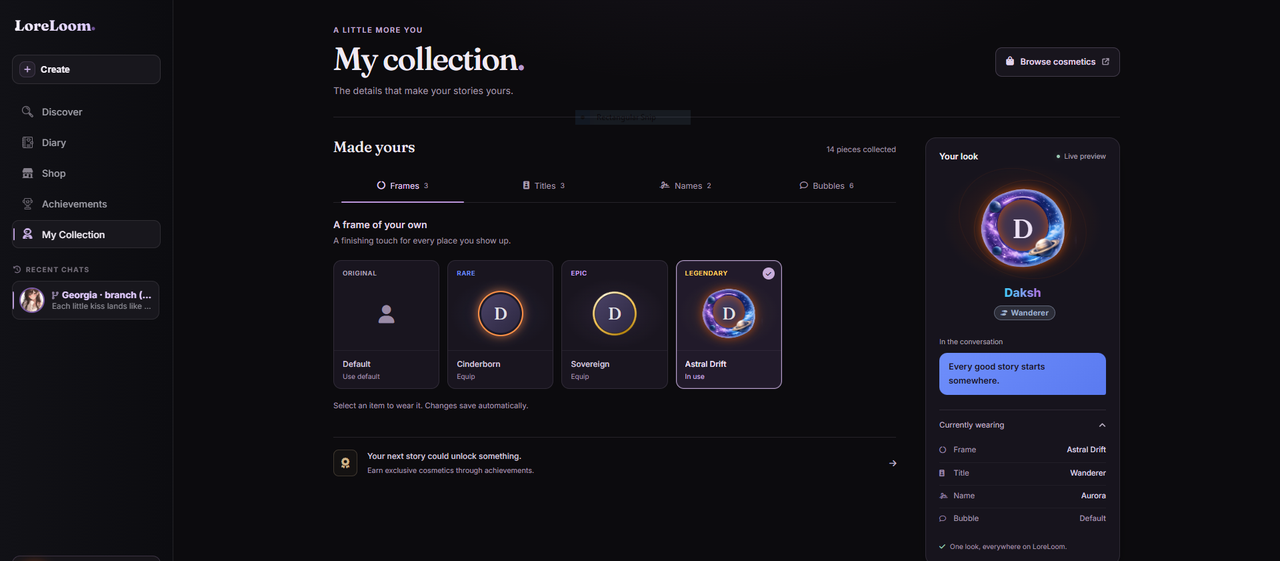
Most pieces are earned through Achievements or picked up in the Shop's Cosmetics tab. The Browse cosmetics button in the top-right jumps straight there.
LoreLoom+
If you find yourself reaching for those boosts often, LoreLoom+ is the subscription that bundles them permanently. Compared to a free account, Loom+ adds:
- Better memory — a richer memory system so characters stay consistent longer.
- The Memory Manager — always on, no hourly pass needed.
- Ad-free chats — no ads, all the time.
- Access to premium models — the faster, smarter model chain by default.
- Better, smarter responses — the upgraded models mean higher-quality replies.
- Extra Orbs — a recurring Orb bonus on top of what you earn.
- Priority support — your messages to us go to the front of the line.
You can open the upgrade details any time from the Upgrade to Loom+ button at the bottom of the sidebar. Free accounts lose nothing — Orbs and the Shop mean you can taste every premium feature without committing. Loom+ is just the convenient, always-on version for people who live in their stories.
Where to go next
If you're still setting up your first character, the character fields guide walks through every box on the creation page. And the roleplay guide covers how to write messages that get good replies.